
Apakah Anda sudah berhasil menerapkan Fetch dalam menampilkan data dari API TheSportDB? Jika belum, yuk kita lakukan bersama-sama!
Pada dokumentasi API menyebutkan bahwa, untuk mendapatkan daftar klub olahraga kita dapat menggunakan target url: https://www.thesportsdb.com/api/v1/json/1/searchteams.php?t=Arsenal
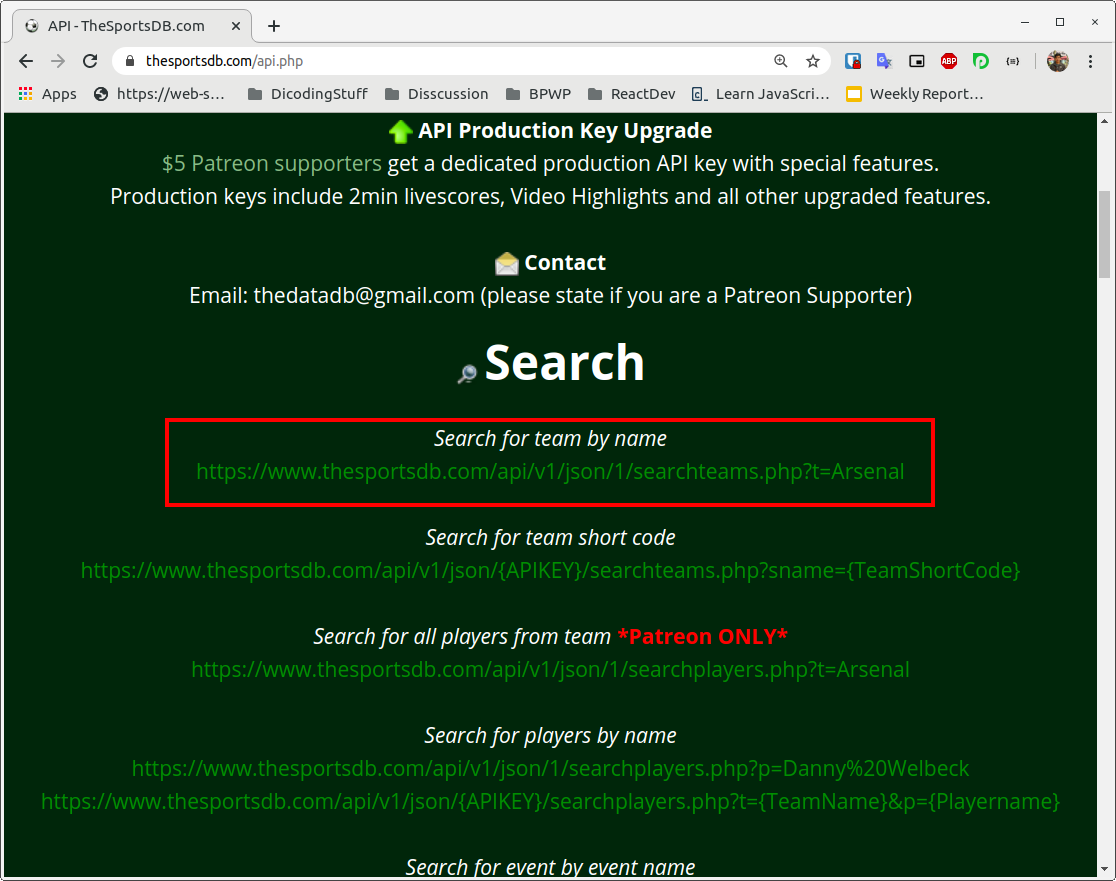
2020031323502200000abb4fd3bf7637506d2872ff1cb0.png
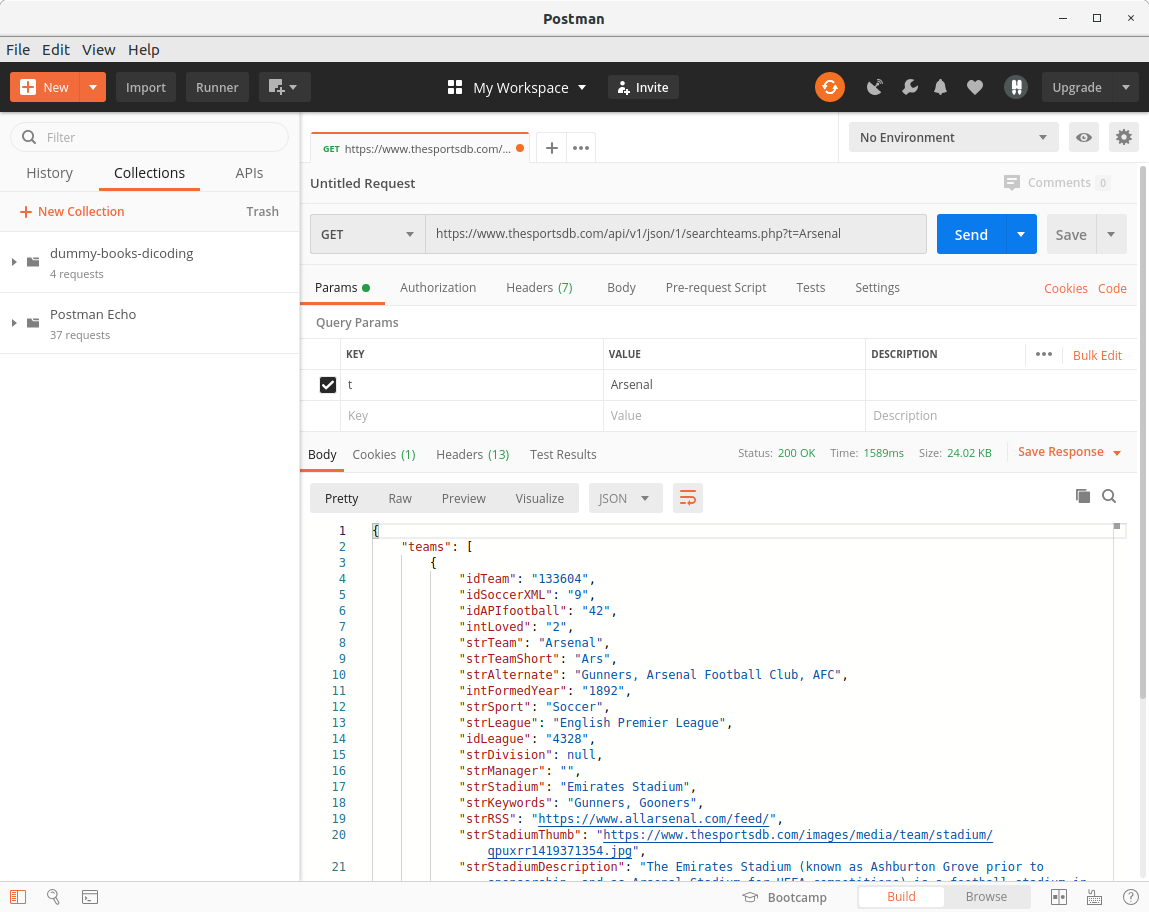
Sebelum menuliskan langsung pada proyek dengan fetch, biasakan ketika hendak mengkonsumsi API biasakan untuk mencobanya menggunakan aplikasi Postman terlebih dahulu. Jika target url tersebut diakses melalui Postman dengan GET Request, maka akan menghasilkan response dengan struktur JSON yang tampak pada tab Body.
202003132350321a588cd4b3f0285be6fd1af52fa3591e.png
Pada response JSON yang dihasilkan menampung satu key dengan nama teams yang memiliki value berupa sebuah array. Di dalam array tersebut menampilkan banyak data terkait klub olahraga yang memiliki nama Arsenal. Kita dapat memanfaatkan key strTeam untuk mendapatkan nama klub, strTeamBadge untuk mendapatkan logo klub, dan strDescriptionEN untuk mendapatkan deskripsi singkat dalam bahasa inggris.
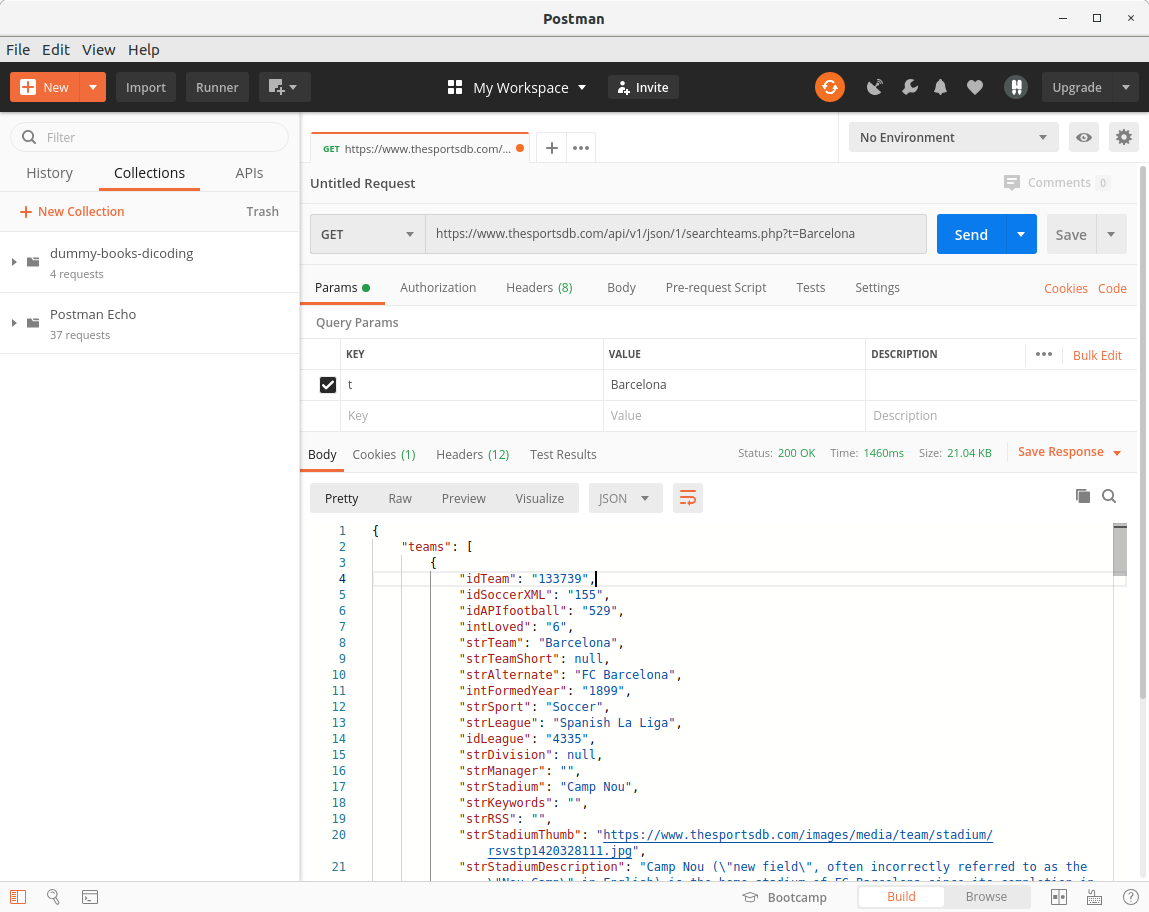
Lantas untuk mencari data team berdasarkan kata kunci lain kita dapat mengubah kata “Arsenal” menggunakan kata kunci yang kita inginkan, misalnya “Barcelona”. Sehingga melakukan request terhadap url: https://www.thesportsdb.com/api/v1/json/1/searchteams.php?t=Barcelona akan menghasilkan response JSON dengan informasi klub olahraga terkait “Barcelona”.
20200313235048e7906db6f58df01a750d175c26f3b342.png
Cukup mudah bukan untuk menggunakan API tersebut?
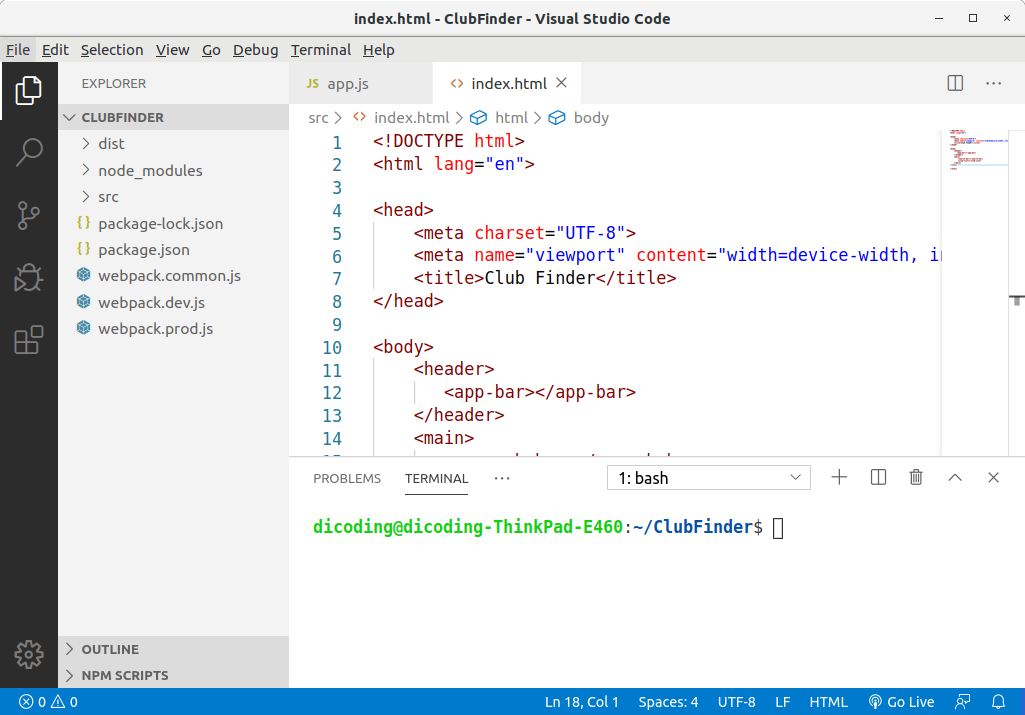
Nah, Setelah memahami cara penggunaan API-nya, sekarang mari kita mulai tuliskan fungsi fetch pada proyek Club Finder. Langkah awal buka kembali proyek Club Finder pada text editor yang Anda gunakan.
202003132351017c49f82cb83c52af812adb0b076cc23f.png
Kemudian buka berkas data-source.js pada src -> script -> data -> data-source.js. Kita refactor fungsi searchClub dengan menghapus seluruh logika yang ada di dalamnya, kemudian tuliskan fungsi fetch seperti ini:

  1. class DataSource {

  2.    static searchClub(keyword) {

  3.        return fetch(`https://www.thesportsdb.com/api/v1/json/1/searchteams.php?t=${keyword}`)

  4.    }

  5. }

  6.  

  7. export default DataSource;


Seperti yang sudah kita ketahui, fungsi fetch() akan mengembalikan promise resolve jika request berhasil dilakukan. Maka untuk menangani respon dari request yang dibuat, kita gunakan .then() yang di dalamnya berisi variabel response sebagai response object yang didapat.

  1. class DataSource {

  2.    static searchClub(keyword) {

  3.        return fetch(`https://www.thesportsdb.com/api/v1/json/1/searchteams.php?t=${keyword}`)

  4.        .then(response => {

  5.           

  6.        })

  7.    }

  8. }

  9.  

  10. export default DataSource;


Kemudian di dalam blok then tersebut, kita ubah nilai response menjadi JSON dengan memanggil method response.json().

  1. class DataSource {

  2.    static searchClub(keyword) {

  3.        return fetch(`https://www.thesportsdb.com/api/v1/json/1/searchteams.php?t=${keyword}`)

  4.        .then(response => {

  5.            return response.json();

  6.        })

  7.    }

  8. }

  9.  

  10. export default DataSource;


Karena method response.json() juga mengembalikan nilai promise, maka untuk mendapatkan nilai yang dibawa oleh resolve kita perlu menambahkan .then lainnya (chaining promise). Di dalam .then yang kedua ini, berikan parameter dengan nama responseJson (penamaan variabel tidaklah baku, namun gunakan penamaan yang menunjukkan arti dari nilai variabelnya).

  1. class DataSource {

  2.    static searchClub(keyword) {

  3.        return fetch(`https://www.thesportsdb.com/api/v1/json/1/searchteams.php?t=${keyword}`)

  4.        .then(response => {

  5.            return response.json();

  6.        })

  7.        .then(responseJson => {

  8.           

  9.        })

  10.    }

  11. }

  12.  

  13. export default DataSource;


responseJson merupakan nilai JSON yang dihasilkan dari perubahan object response dalam bentuk JSON melalui method .json() tadi.
Di dalam block .then yang kedua, kita kembalikan (return) dengan nilai promise resolve dengan membawa nilai jsonResponse.teams jika nilai array tidak null. Namun jika teams bernilai null, maka kembalikan dengan nilai promise reject dengan membawa nilai “${keyword} is not found”.

  1. class DataSource {

  2.    static searchClub(keyword) {

  3.        return fetch(`https://www.thesportsdb.com/api/v1/json/1/searchteams.php?t=${keyword}`)

  4.        .then(response => {

  5.            return response.json();

  6.        })

  7.        .then(responseJson => {

  8.            if(responseJson.teams) {

  9.                return Promise.resolve(responseJson.teams);

  10.            } else {

  11.                return Promise.reject(`${keyword} is not found`);

  12.            }

  13.        })

  14.    }

  15. }

  16.  

  17. export default DataSource;


Simpan perubahan tersebut dan jalankan aplikasi dalam mode development menggunakan perintah:

  1. npm run start-dev


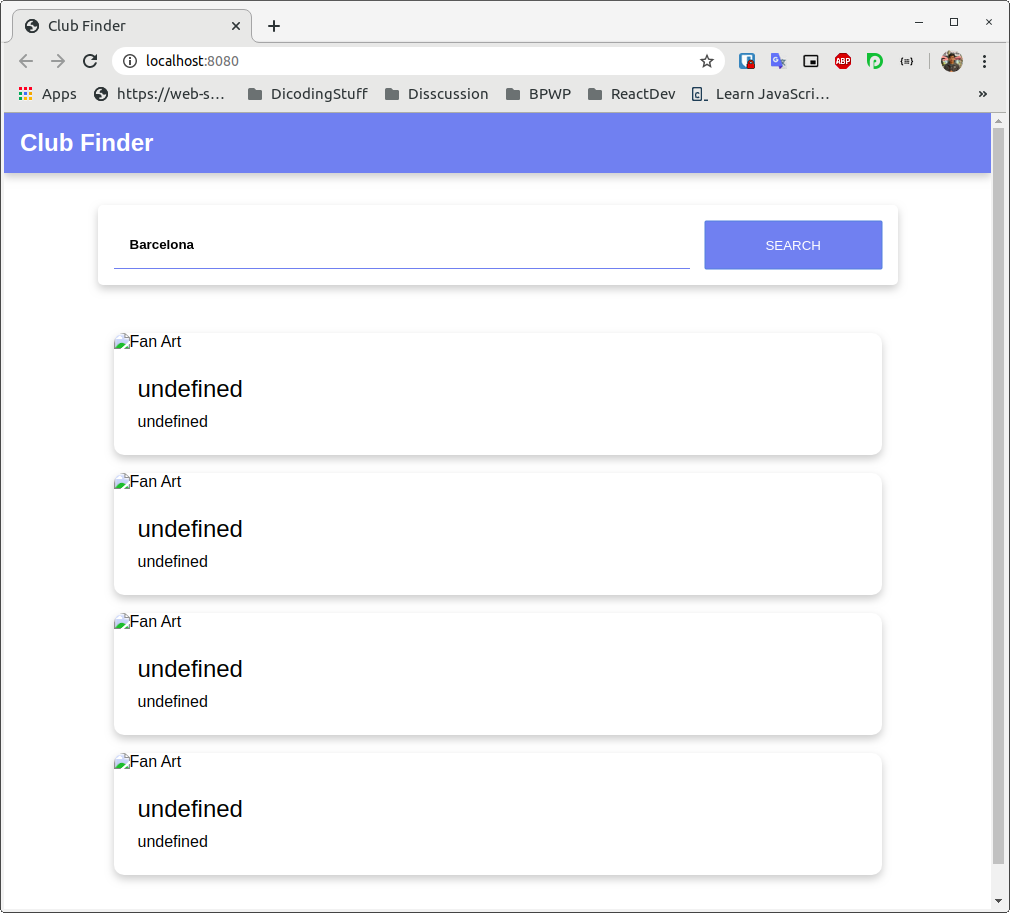
Setelah proyek terbuka, lakukan pencarian dengan keyword apapun yang Anda mau, di sini kita contohkan dengan “Barcelona”.
20200313235133e90126ea84a6df29dc44b91c4f296331.png
Yah, data yang ditampilkan undefined. Mengapa bisa demikian? Ini disebabkan karena kita belum menyesuaikan key berdasarkan response yang didapat dari public API. Kita harus menggunakan key strTeam untuk mendapatkan nama klub, strTeamBadge untuk mendapatkan logo klub, dan strDescriptionEN untuk mendapatkan deskripsi singkat dalam bahasa inggris.
Ketiga key tersebut kita tetapkan pada berkas src -> script -> component -> club-item.js. Lebih tepatnya pada fungsi render.

  1. render() {

  2.        this.shadowDOM.innerHTML = `

  3.            <style>

  4.                 ……..

  5.            </style>

  6.            <img class="fan-art-club" src="${this._club.fanArt}" alt="Fan Art">

  7.            <div class="club-info">

  8.                <h2>${this._club.name}</h2>

  9.                <p>${this._club.description}</p>

  10.            </div>`;

  11.    }


Kita ubah properti this._club.fanArt menjadi this._club.strTeamBadge, this._club.name menjadi this._club.strTeam, dan this._club.description menjadi this._club.strDescriptionEN.
Sehingga fungsi render akan menjadi seperti ini:

  1. render() {

  2.        this.shadowDOM.innerHTML = `

  3.            <style>

  4.                * {

  5.                    margin: 0;

  6.                    padding: 0;

  7.                    box-sizing: border-box;

  8.                }

  9.                :host {

  10.                    display: block;

  11.                    margin-bottom: 18px;

  12.                    box-shadow: 0 4px 8px 0 rgba(0, 0, 0, 0.2);

  13.                    border-radius: 10px;

  14.                    overflow: hidden;

  15.                }

  16.               

  17.                .fan-art-club {

  18.                    width: 100%;

  19.                    max-height: 300px;

  20.                    object-fit: cover;

  21.                    object-position: center;

  22.                }

  23.               

  24.                .club-info {

  25.                    padding: 24px;

  26.                }

  27.               

  28.                .club-info > h2 {

  29.                    font-weight: lighter;

  30.                }

  31.               

  32.                .club-info > p {

  33.                    margin-top: 10px;

  34.                    overflow: hidden;

  35.                    text-overflow: ellipsis;

  36.                    display: -webkit-box;

  37.                    -webkit-box-orient: vertical;

  38.                    -webkit-line-clamp: 10; /* number of lines to show */

  39.                }

  40.            </style>

  41.            <img class="fan-art-club" src="${this._club.strTeamBadge}" alt="Fan Art">

  42.            <div class="club-info">

  43.                <h2>${this._club.strTeam}</h2>

  44.                <p>${this._club.strDescriptionEN}</p>

  45.            </div>`;

  46. }


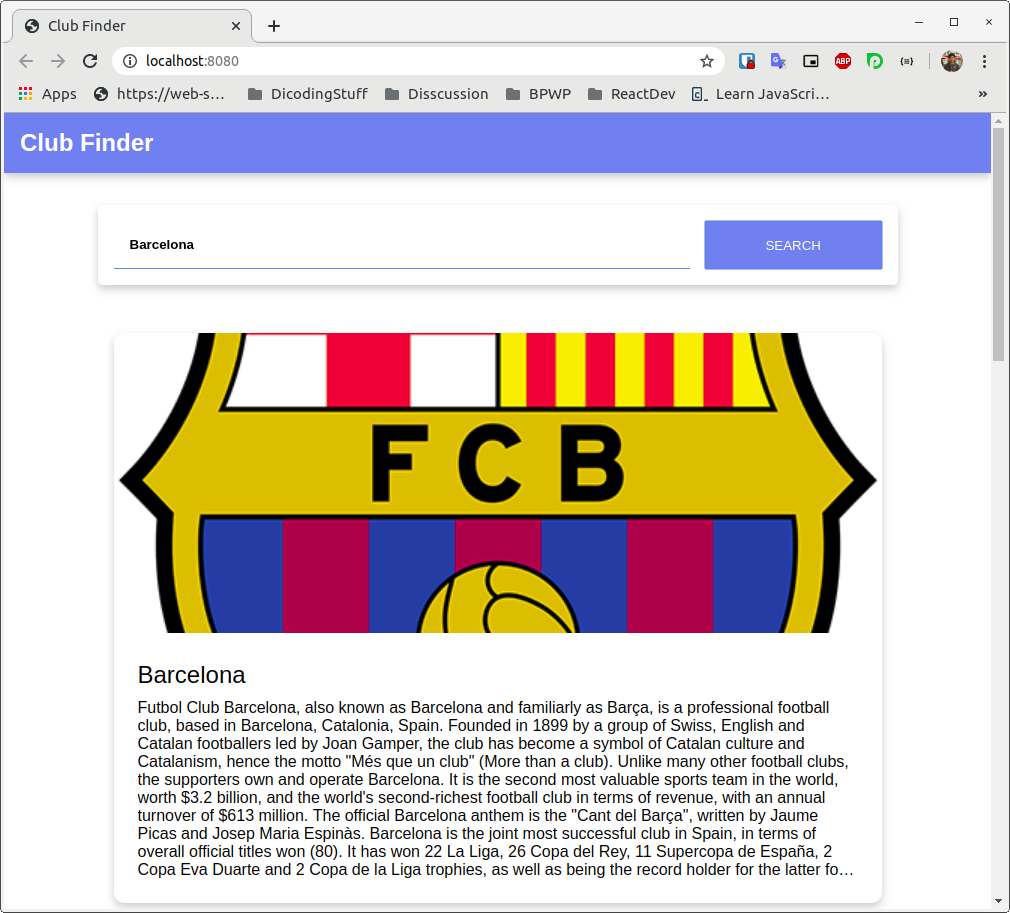
Simpan kembali perubahan kode yang dituliskan kemudian lakukan pencarian kembali pada aplikasi Club Finder. Seharusnya sekarang aplikasi sudah bisa menampilkan data dengan baik.
202003132351502bc06712f0552fa6f26e8f8de5607033.png
Voila! Anda sudah berhasil menerapkan Fetch pada proyek Club Finder.
Contoh Menggunakan API Dan Fetch di dalam Web Sederhana
Bookmark

Contoh Menggunakan API Dan Fetch di dalam Web Sederhana

Type:
Genre:
Status:
Country:
Keywords: Watch online Contoh Menggunakan API Dan Fetch di dalam Web Sederhana bahasa Indonesia, Streaming anime Contoh Menggunakan API Dan Fetch di dalam Web Sederhana sub indo, Mau nonton anime terbaik dengan subtitle Indonesia? Streaming anime Jepang dari anime Contoh Menggunakan API Dan Fetch di dalam Web Sederhana, website streaming anime subtitle indonesia dan nonton anime indo update setiap hari, TV Contoh Menggunakan API Dan Fetch di dalam Web Sederhana, Terbaru Terupdate dan Terlengkap dengan Kualitas 1080p, 720p. 480p, 360p Anime Sub Indo.

Comments

Comment Report Rule
Show Comments
9Anime Comment Policies & Guidelines
  1. Spoiling Content

    Definition

    “Anime Comment” is a spoiler-free section and is usually used for a general discussion about anime without spoiling any content.

    “Episode Comment” may contain spoilers for current or previous episodes. Contents from manga or future episodes are considered as spoilers.

    Hiding spoilers with spoiler tags is not allowed either.

    Consequences

    Minor Spoiler:-

    1st Offense: Warning + Temporary Ban (Ranging 1 day to 3 days)

    2nd Offense Within 30 Days of 1st Offense: Permanent Ban

    Major Spoiler:-

    1st Offense: Permanent Ban

  2. Diversion From Topic

    Definition

    The comment section should be about the anime on hand. Although references from other anime may be used, the core topic of the comments should be about the anime at hand.

    This rule also applies on advertising other streaming websites which results in an instant ban.

    This rule also applies to spam, posting comments like “first”, “second”, etc. are considered spam.

    Consequences

    1st Offense: Warning + Temporary Ban (Ranging 1 day to 3 days)

    2nd Offense Within 30 Days of 1st Offense: Permanent Ban

  3. Flame War

    Definition

    Exchange of angry or abusive messages between the comments. Any form of insulting is also considered as flame war.

    Consequences

    1st Offense: Warning + Temporary Ban (Ranging 1 day to 3 days)

    2nd Offense Within 30 Days of 1st Offense: Permanent Ban

  4. Posting Harmful Link

    Definition

    Post of hyperlinks for websites that may contain viruses or may harm your PC or device.

    Consequences

    1st Offense: Permanent Ban + Deletion of All Comments

  5. Posting NSFW Content

    Definition

    Posting contents that are not safe for work, such as pornographic images or video, ecchi anime, hentai, etc.

    Consequences

    1st Offense: Warning + Temporary Ban (Ranging 1 day to 3 days)

    2nd Offense Within 30 Days of 1st Offense: Permanent Ban

  6. Inappropriate Profile Picture

    Definition

    Using a profile picture that is not safe for work. Although minor ecchi or fanservice is acceptable.

    Consequences

    1st Offense: Warning + Temporary Ban (Ranging 1 day to 3 days)

    2nd Offense Within 30 Days of 1st Offense: Permanent Ban

  7. Use of Common Sense

    Definition

    If you think that you’ll get in trouble for what you’re about to do, don’t do it.

    Consequences

    1st Offense: Warning + Temporary Ban (Ranging 1 day to 3 days)

    2nd Offense Within 30 Days of 1st Offense: Permanent Ban

  8. Upvote Abusing

    Definition

    Creating multiple alternative accounts to upvote your own comments.

    Consequences

    1st Offense: Permanent Ban on All Accounts + Deletion of All Comments

  9. Downvote Abusing

    Definition

    Targeting a user and downvoting all his comments, or creating multiple accounts to downvote one or more comments.

    Consequences

    1st Offense: Permanent Ban on All Accounts

  10. Swearing

    Definition

    Swearing is fine, as long as it’s not directed towards anyone, even as a joke. It may be misinterpreted by a moderator.

    Consequences

    1st Offense: Warning + Temporary Ban (Ranging 1 day to 3 days)

    2nd Offense Within 30 Days of 1st Offense: Permanent Ban

  11. Moderator Verdict

    Definition

    A moderator’s verdict is final and arguing with them will only cause further punishment. If you have a complaint against a staff member, or wish to file a ban appeal, go to the 9Anime Discord Server and post your issue in the #disqus-appeals channel.

    Consequences

    1st Offense: Warning + Temporary Ban (Ranging 1 day to 3 days)

    2nd Offense Within 30 Days of 1st Offense: Permanent Ban

Think you have been unfairly warned or banned?

If you believe that you’ve been unfairly banned or if you have a complaint against one or more Disqus Staff Members, you may post an appeal or complaint on 9Anime Discord Server.

STEPS

  1. Join 9Anime Discord Server: https://discord.gg/xxxxxxx
  2. Read the #rules channel and follow instructions. (Optional, but highly recommended)
  3. Head towards #disqus-appeals channel.
  4. Use the appropriate template to appeal a ban or file a complaint.